
Gaming Mice
Precision, responsiveness and comfort: our picks and complete guide to choosing the ideal gaming mouse for GTA 6. Wired and wireless.
In GTA 6, aiming precision and click response matter as much as reflexes. A good gaming mouse gives you a more reliable sensor, programmable buttons that are useful in-game and real comfort over long sessions. Here are our picks and our guide to choosing the right model for your budget and the way you play.
Our picks

Razer Cobra
- ✓Razer 8500 DPI optical sensor
- ✓Gen-3 optical switches
- ✓Ultra-light 58g
- ✓Chroma RGB with underglow, wired

Logitech G203 Lightsync
- ✓8000 DPI gaming sensor
- ✓6 programmable buttons
- ✓Customizable RGB
- ✓Wired, ultra-light

Razer DeathAdder Essential (2021)
- ✓True 6400 DPI optical sensor
- ✓Certified right-handed ergonomics
- ✓5 mechanical Hyperesponse buttons
- ✓Rated for 10M clicks

Logitech G305 Lightspeed
- ✓LIGHTSPEED wireless — HERO 12000 DPI sensor
- ✓Ultra-light, 1 AA battery (250h battery life)
- ✓6 programmable buttons
- ✓No noticeable in-game latency

Logitech G Pro X Superlight 2
- ✓HERO 2 sensor — 44,000 DPI
- ✓Ultra-light 60g wireless
- ✓LIGHTSPEED 2.4GHz < 1ms, 8kHz polling
- ✓Long-life PTFE feet

Razer Viper V3 HyperSpeed
- ✓Focus Pro 30K optical sensor
- ✓Up to 280h battery life
- ✓2nd-gen mechanical switches
- ✓True 4000Hz polling rate

Razer DeathAdder V3 Pro
- ✓Focus Pro 30K DPI sensor
- ✓Ultra-fast HyperSpeed Wireless
- ✓90h battery life — 64g
- ✓Gen-3 optical switches
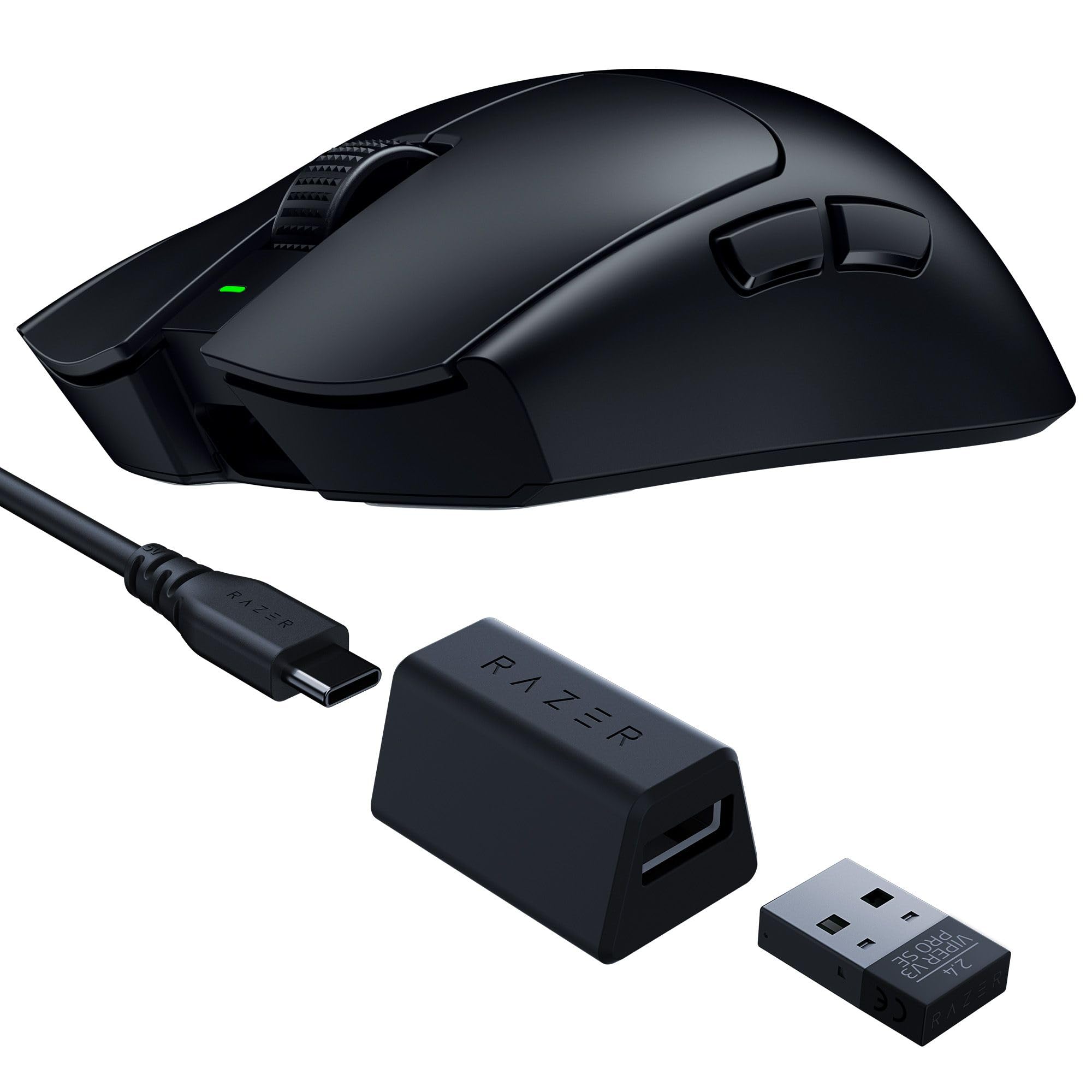
Razer Viper V3 Pro SE
- ✓Focus Pro 35K DPI sensor
- ✓Ultra-light 54g
- ✓95h battery life
- ✓Esports benchmark with HyperSpeed Wireless
Buying guide
Which gaming mouse should you choose for GTA 6 on PC?
GTA 6 on PC calls for a precise mouse for aiming, vehicle chases and menu navigation. A mouse with a quality optical sensor (from 200 DPI up to several tens of thousands of DPI) and a high polling rate guarantees instant response. The Razer DeathAdder Essential or the Logitech G305 suit most players. If you also play competitive FPS games, the ultra-light wireless G Pro X Superlight 2 or Razer Viper V3 Pro are the elite.
What is the right DPI sensitivity for GTA 6?
In GTA 6, the optimal DPI depends on your setup. On a 1080p monitor, 800–1200 DPI offers a good balance between precision and speed. At QHD or 4K, you can go up to 1600–2400 DPI to cover the screen without overly wide movements. What matters most is not the raw value but consistency: find a comfortable DPI and stick with it. Every mouse in our selection lets you change DPI on the fly with a dedicated button or its software.
Wired or wireless mouse for gaming?
The latest wireless gaming mice (Logitech LIGHTSPEED, Razer HyperSpeed) deliver 1ms latency through a 2.4GHz dongle — identical to or better than wired. Wireless removes cable drag and frees your movements, which you feel in GTA 6's shootouts. The G Pro X Superlight 2 (60g) and the Viper V3 Pro (54g) are ultra-light and last 90 to 95h per charge. On a tight budget, wired remains excellent — the Razer Cobra and G203 have no battery to manage.
| Mouse | Connection | Weight | Best for |
|---|---|---|---|
| Razer Cobra / Logitech G203 | Wired | 85-89g | Casual player, tight budget |
| DeathAdder Essential / G305 | Wired / Wireless | 82-99g | Daily use, good all-rounder |
| G Pro X Superlight 2 / Viper V3 HyperSpeed | Wireless | 55-60g | Demanding regular player |
| DeathAdder V3 Pro / Viper V3 Pro | HyperSpeed wireless | 54-64g | Competitive / esports |
What mouse weight for long gaming sessions?
A heavy mouse (>100g) tires the wrist over sessions of 3 hours or more in GTA Online. Ultra-light models (<65g) such as the G Pro X Superlight 2 (60g), the DeathAdder V3 Pro (64g) or the Viper V3 Pro (54g) significantly reduce muscle fatigue. For a casual player, the 85–99g of the G203 or G305 is perfectly acceptable. Ergonomics and grip still matter more than raw weight.
Which one for your profile
Casual player
You want a precise mouse without setting aside a dedicated budget. The Razer Cobra or the Logitech G203 Lightsync easily cover everyday needs in GTA 6.
Regular player
Frequent sessions, and you want cable-free freedom without blowing your budget. The Razer DeathAdder Essential or the Logitech G305 Lightspeed offer an excellent balance of precision, comfort and battery life.
Competitive player
You play online regularly and want the best responsiveness. The ultra-light Razer Viper V3 HyperSpeed or Logitech G Pro X Superlight 2 are built for exactly that.
Perfectionist
You want the most advanced responsiveness, no compromises. The Razer DeathAdder V3 Pro or the Viper V3 Pro (8kHz, 54g) are the esports benchmarks in our selection.
Frequently asked questions
Do you really need a gaming mouse for GTA 6?+
It isn't essential, but a dedicated mouse offers a more precise sensor, more programmable buttons (inventory, weapons) and better comfort over long sessions than a standard office mouse.
Should you go wireless to play GTA 6?+
Modern wireless mice (LIGHTSPEED, HyperSpeed) no longer have any noticeable in-game latency disadvantage compared to wired ones. Wireless brings real freedom of movement, especially appreciated when aiming and driving in GTA 6. Wired remains a sensible choice on a tight budget.
How much DPI do you need for GTA 6?+
There is no universal value: most players use between 800 and 2400 DPI depending on screen resolution and in-game sensitivity. Every mouse in our selection easily covers this range, up to 44,000 DPI on the most advanced models — far beyond what any player actually uses.
Does mouse weight really make a difference?+
Yes, over time: an ultra-light mouse (54-65g) like the Viper V3 Pro or the G Pro X Superlight 2 reduces wrist fatigue and makes quick aiming movements easier, which is especially useful in GTA Online shootouts. For casual use, the difference is less noticeable.
What battery life can you expect from a wireless gaming mouse?+
It depends on the model: expect 70 to 95h for feature-rich esports mice (Viper V3 Pro, DeathAdder V3 Pro), versus 250h for a more frugal model like the G305 Lightspeed, which runs on a single AA battery.
How do you look after a gaming mouse?+
Clean the feet (PTFE skates) regularly to keep a smooth glide, avoid pulling on the cable of wired models, and store the mouse away from dust. A well-maintained mouse keeps its performance for several years.
This site contains Amazon affiliate links (Amazon.com, and Amazon.fr for a few products sold in France). Buying through our links helps fund the site at no extra cost to you.