
Gaming Monitors
Full HD, QHD or 4K, from all-rounders to immersive OLED displays: our picks and complete guide to choosing the ideal gaming monitor for GTA 6.
In GTA 6, smoothness and image clarity matter as much as your GPU's performance. A good gaming monitor gives you a sharper picture, smoother motion when driving or fighting, and real comfort over long sessions. Here are our picks and our guide to choosing the right model for your budget and your setup.
Our picks
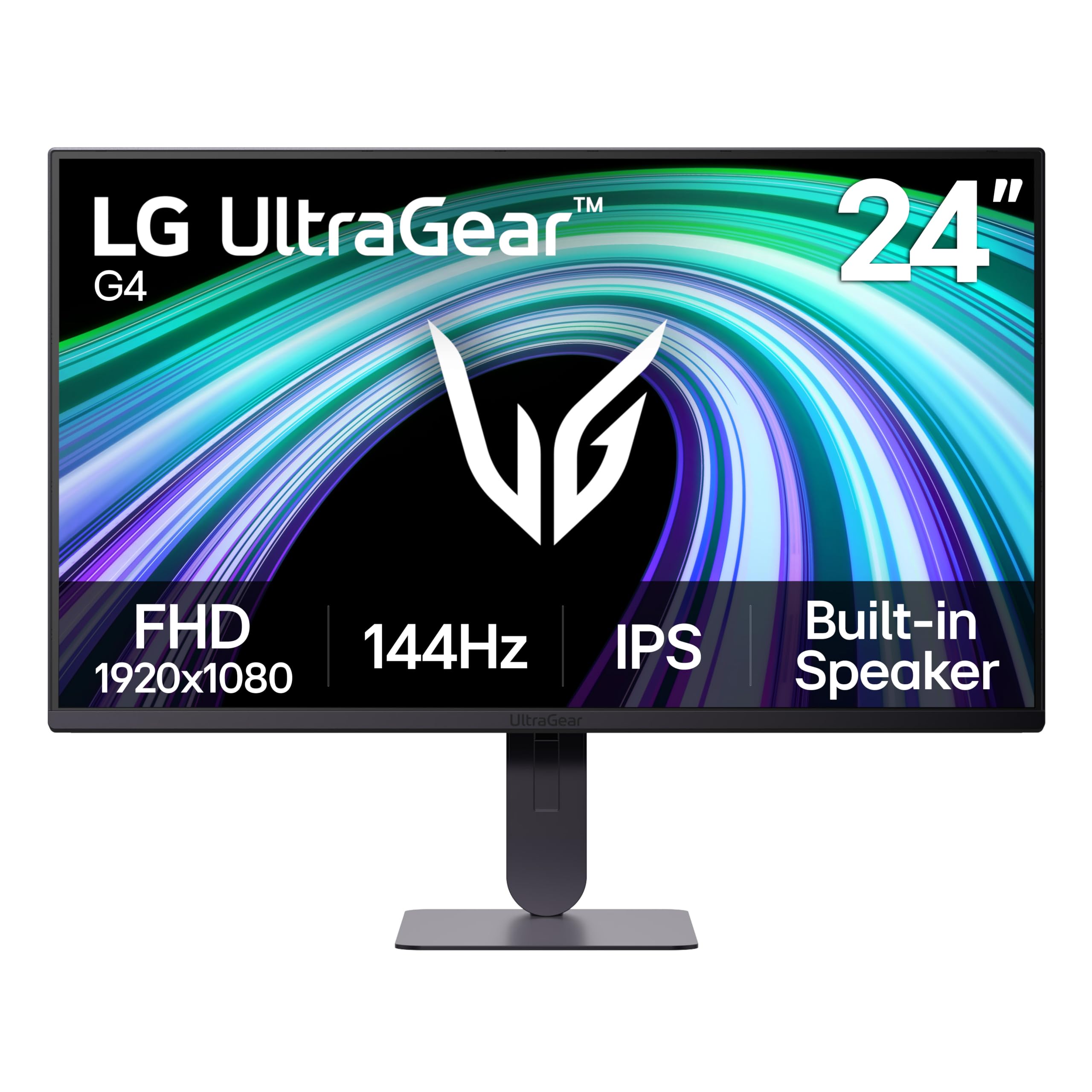
LG UltraGear 24G414B-B
- ✓24" Full HD 1080p — IPS panel
- ✓144Hz + 1ms
- ✓G-Sync Compatible and FreeSync
- ✓HDR10, built-in speaker

Acer Nitro KG271 X1
- ✓27" Full HD 1080p — IPS panel
- ✓200Hz + 0.5ms
- ✓AMD FreeSync Premium
- ✓99% sRGB
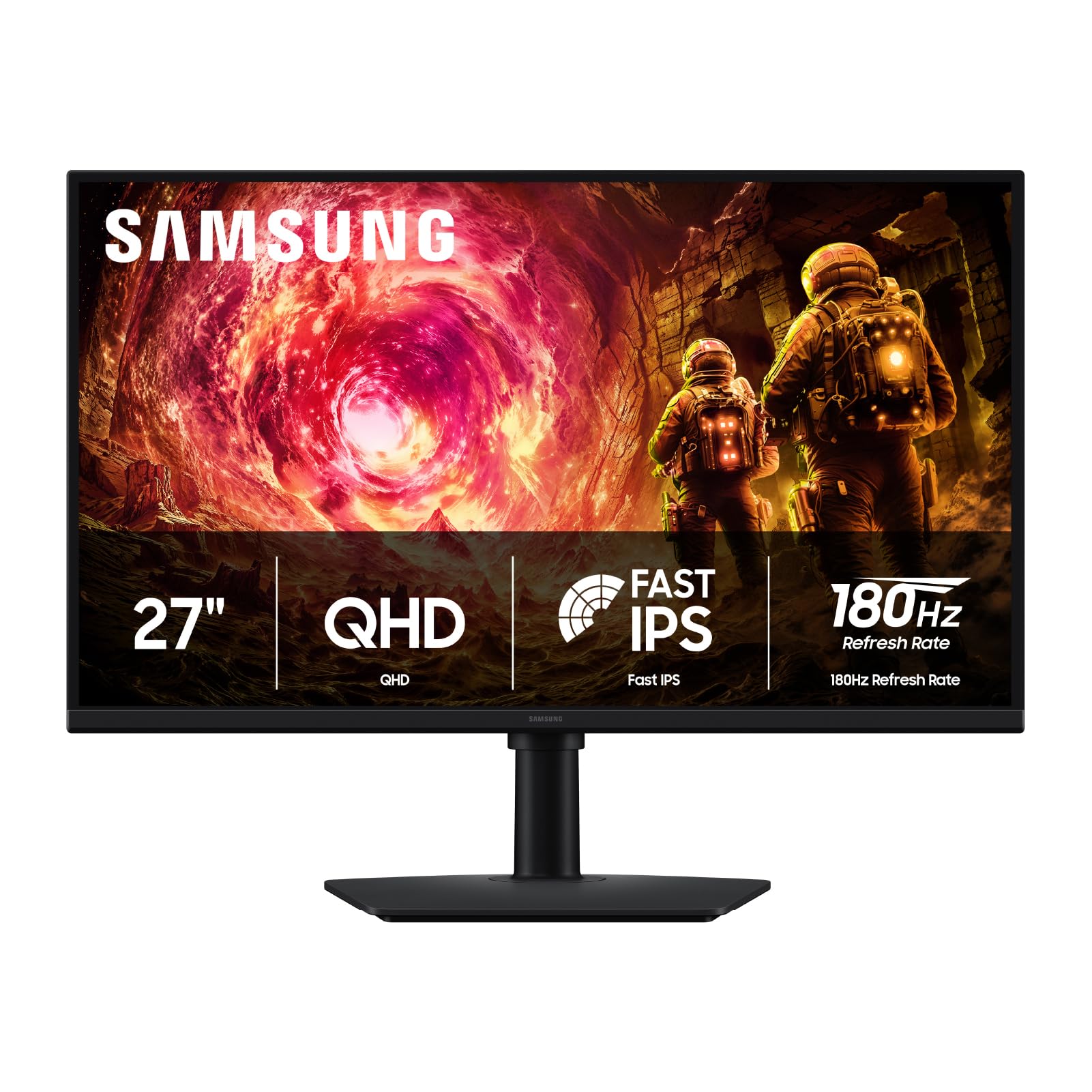
Samsung Odyssey G5 (G50F) 27"
- ✓27" QHD 2560×1440 — flat Fast IPS panel
- ✓180Hz
- ✓G-Sync Compatible
- ✓HDR10

ASUS TUF Gaming VG27AQL5A
- ✓27" QHD 2560×1440 — Fast IPS
- ✓210Hz + 0.3ms
- ✓130% sRGB
- ✓Built-in speakers
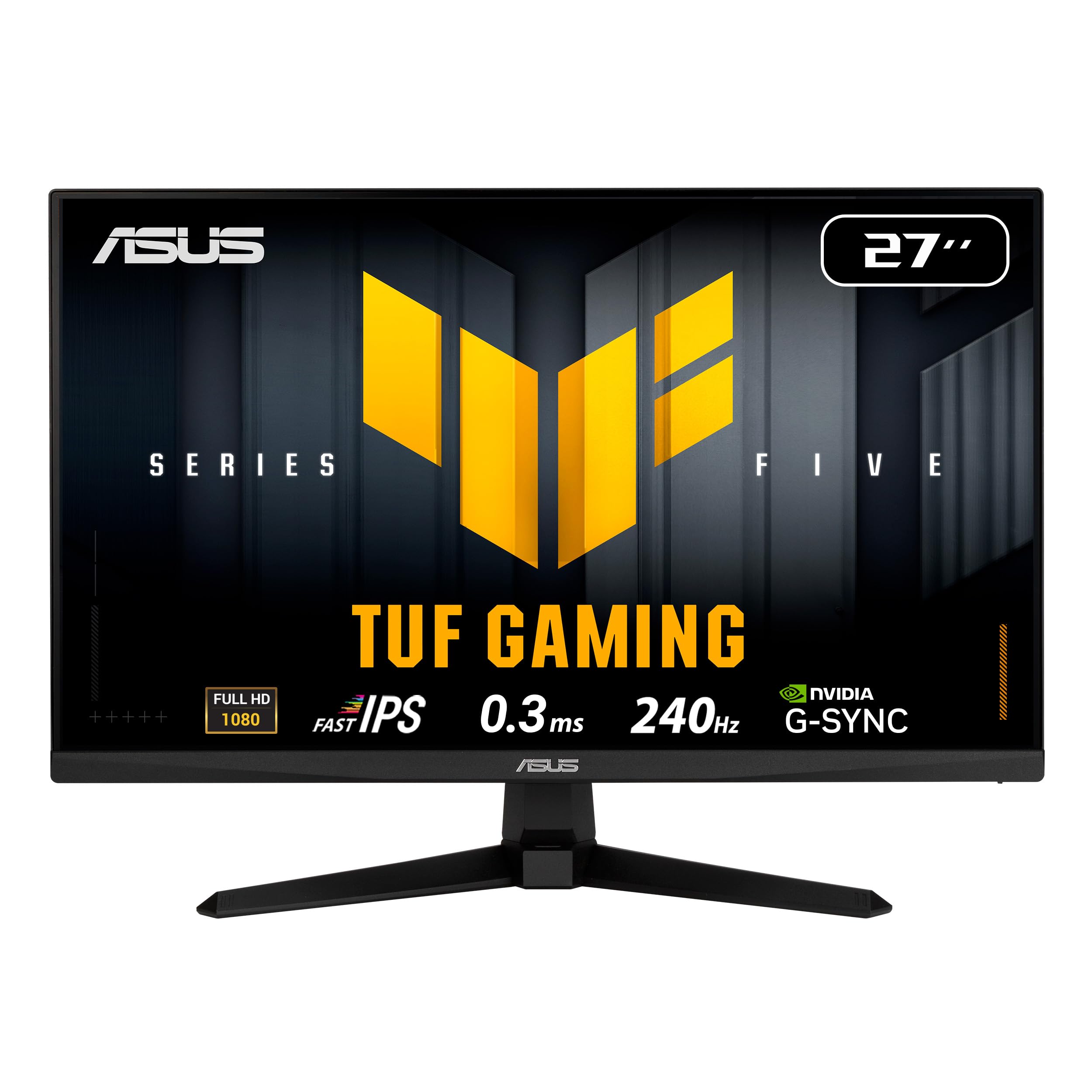
ASUS TUF Gaming VG279QM5A
- ✓27" Full HD 1080p — Fast IPS
- ✓240Hz — ideal for responsiveness
- ✓AMD FreeSync Premium
- ✓Compact design, low input lag

Samsung Odyssey G55C 32"
- ✓32" QHD 2560×1440 — 1000R curve
- ✓165Hz + 1ms VA
- ✓AMD FreeSync Premium — HDR10
- ✓Large screen for immersion

MSI MAG 274UPF E2
- ✓27" UHD 4K 3840×2160 — IPS panel
- ✓160Hz + 0.5ms GtG
- ✓DisplayHDR 400 — 133% sRGB
- ✓USB-C, frameless design
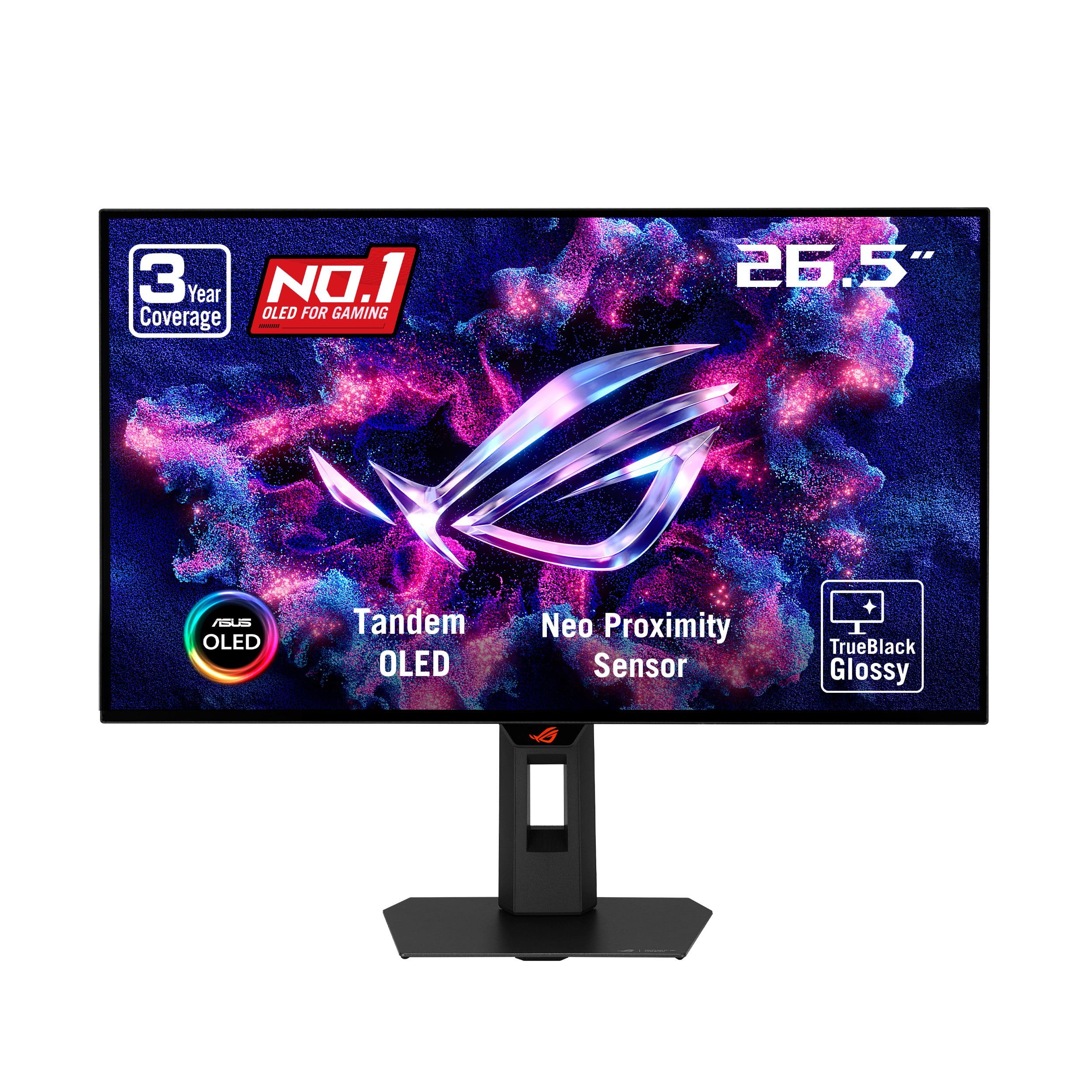
ASUS ROG Strix XG27AQWMG
- ✓27" QHD 2560×1440 — Tandem OLED panel
- ✓280Hz + 0.03ms
- ✓G-Sync Compatible
- ✓Glossy TrueBlack coating, perfect blacks
Buying guide
Which gaming monitor should you choose for GTA 6?
GTA 6 is a visually rich open-world game: a 27" QHD 180-210Hz monitor like the Samsung Odyssey G5 or the ASUS TUF VG27AQL5A offers the best balance of image quality and smoothness for this kind of game. 1080p at 144-200Hz remains excellent at entry level — the LG 24G414B or the Acer Nitro KG271 X1 let you enjoy the game without sacrificing responsiveness. If your GPU can push 4K or you want the best possible contrast, the MSI MAG 274UPF E2 (4K) or the ASUS ROG Strix OLED remove every visual compromise.
Which resolution for GTA 6: 1080p, 1440p or 4K?
GTA 6 will be visually demanding, and 1440p QHD is currently the sweet spot: a noticeably sharper image than Full HD, with GPU requirements that an RTX 4060 Ti or RX 7700 XT can handle. Native 4K (MSI MAG 274UPF E2) requires an RTX 4080 or better to hold a steady 60fps. At 1080p, even an RTX 4060 is enough to target a stable 144fps on the 240Hz ASUS TUF VG279QM5A. For a balance of performance and visuals, pair QHD + 165Hz with an RTX 4070.
IPS, VA or OLED panel for gaming?
IPS panels offer the best viewing angles and high color accuracy (99%+ sRGB) — ideal for enjoying GTA 6's graphics. VA panels like the 32" Samsung G55C produce deeper blacks and better contrast for night scenes, which are frequent in GTA. OLED (ASUS ROG Strix XG27AQWMG) offers infinite contrast and near-0ms response time but remains more expensive. For most players, a good QHD IPS or VA panel is still the best value.
| Monitor | Panel | Resolution | Best for |
|---|---|---|---|
| LG 24G414B / Acer Nitro KG271 X1 | IPS | Full HD | Casual player, tight budget |
| Samsung G5 27" / ASUS VG27AQL5A | IPS | QHD | All-round use, good balance |
| ASUS VG279QM5A / Samsung G55C 32" | IPS / VA | Full HD / QHD | Competitive or large screen |
| MSI MAG 274UPF E2 / ASUS ROG Strix OLED | IPS / OLED | 4K / QHD | Maximum immersion and accuracy |
FreeSync, G-Sync: does it matter for GTA 6?
AMD FreeSync (G-Sync Compatible on Nvidia) syncs the monitor's refresh rate with the GPU to eliminate tearing and stutter — very visible in GTA 6's car chases with fast-changing scenery. Every monitor in our selection supports FreeSync Premium or equivalent. If you have an Nvidia GPU, the G-Sync Compatible certified ASUS ROG Strix XG27AQWMG guarantees synchronization even at the low end of the frequency range.
Which one for your profile
Casual player
You want a smooth monitor without setting aside a dedicated budget. The LG UltraGear 24G414B or the Acer Nitro KG271 X1 in Full HD at 144-200Hz easily cover everyday needs in GTA 6.
Regular player
You want to move up to QHD without blowing your budget. The 27" Samsung Odyssey G5 or the ASUS TUF VG27AQL5A offer a much sharper image at 180-210Hz.
Competitive player or large screen
Maximum responsiveness or more visual comfort: the ASUS TUF VG279QM5A reaches 240Hz in Full HD, while the 32" Samsung Odyssey G55C keeps QHD resolution in a bigger, curved size.
Perfectionist
You want the best possible picture, no compromises. The MSI MAG 274UPF E2 in native 4K or the ASUS ROG Strix XG27AQWMG OLED are the benchmarks of our selection.
Frequently asked questions
144Hz, 165Hz, 240Hz: what's the difference for GTA 6?+
The higher the refresh rate, the smoother the motion on screen — useful when driving or in close combat. The difference between 144Hz and 165Hz is subtle, but 240Hz brings a real gain in responsiveness in competitive play. Your graphics card still needs to generate enough frames per second to take full advantage of it.
Should you go QHD or stay at Full HD?+
QHD (1440p) offers a noticeably sharper image than Full HD at a reasonable GPU cost — it's the recommended choice if your graphics card is an RTX 4060 Ti or equivalent. Full HD remains relevant for targeting very high refresh rates (240Hz) with a more modest card.
Does a curved monitor bring a real advantage?+
On a large screen (27" and up), the Samsung Odyssey G55C's 1000R curve better matches your field of view and reduces eye strain during long sessions. The effect is most noticeable in immersive games like GTA 6; for office work, a flat monitor remains more versatile.
Is 4K worth it for playing GTA 6?+
Visually yes, but it requires a powerful graphics card (RTX 4080 or better) to maintain a good frame rate. The MSI MAG 274UPF E2 in our selection also lets you drop to 1440p or 1080p if your setup can't handle native 4K yet.
Which monitor should you choose if your PC isn't very powerful?+
Go for Full HD (LG 24G414B, Acer Nitro KG271 X1): it needs much less GPU power than a QHD or 4K monitor to maintain a high frame rate, so you'll get the full benefit of the advertised refresh rate.
OLED or classic IPS/VA for GTA 6?+
OLED (ASUS ROG Strix XG27AQWMG) offers unmatched contrast and blacks, perfect for GTA 6's night scenes, but it's more expensive and theoretically exposed to burn-in over the very long term with static elements (HUD). IPS and VA remain more versatile and affordable choices for mixed gaming and office use.
This site contains Amazon affiliate links (Amazon.com, and Amazon.fr for a few products sold in France). Buying through our links helps fund the site at no extra cost to you.